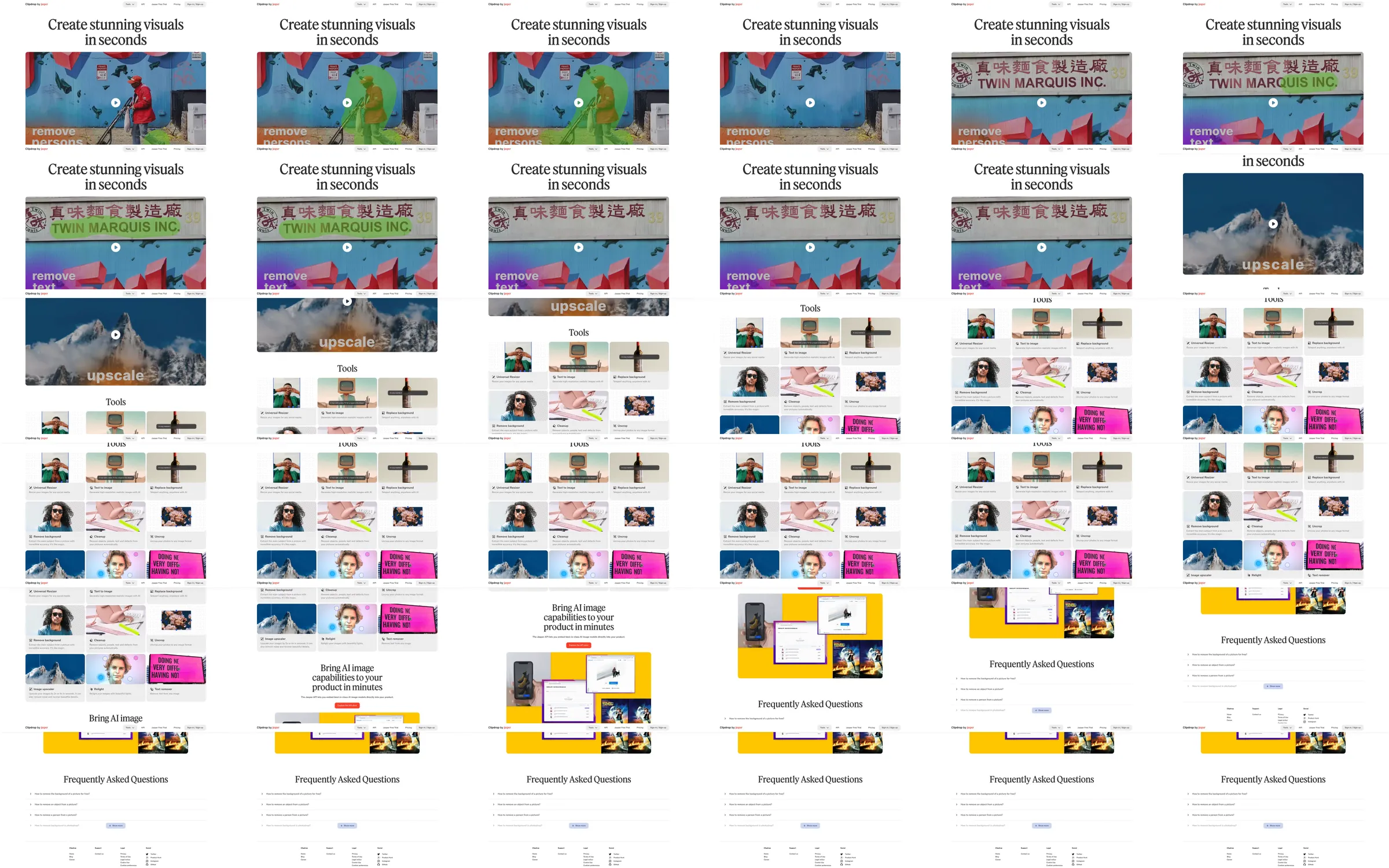
Clipdrop contrasts a large serif promise with a broad visual demonstration of image editing. A white tool grid organizes example thumbnails by task, and a bright yellow API section creates a second visual emphasis before the FAQ and footer.
1. Centered serif introduction. 2. Image-editing comparison reel. 3. Task-based tool grid. 4. Yellow API introduction. 5. Frequently asked questions. 6. Product and company footer.
Before-and-after imagery communicates the editing premise with little supporting copy. The quieter tool grid makes the available categories scannable, and the yellow API panel clearly marks a different audience.
Refero [style page](https://styles.refero.design/style/935f22cb-04ec-48c8-a6da-aa8c2c5abe8b) and [recorded video](https://images.refero.design/styles/refero.design/video/fa60ab20-c9af-4525-a8e5-395c9321cfa8.mp4); [live site](https://clipdrop.co/) checked on 2026-10-05. The recording is a point-in-time reference; current site content may differ. Descriptions distinguish the recording from the current page where they differ. Layout and motion notes come from sampled recording frames and automated live captures; interactive controls were not comprehensively tested. The live hero shows a loaded demonstration poster with a play control; the pixelated mountain is part of the upscaling example. No image was uploaded, generated or edited, and API capabilities were not executed.