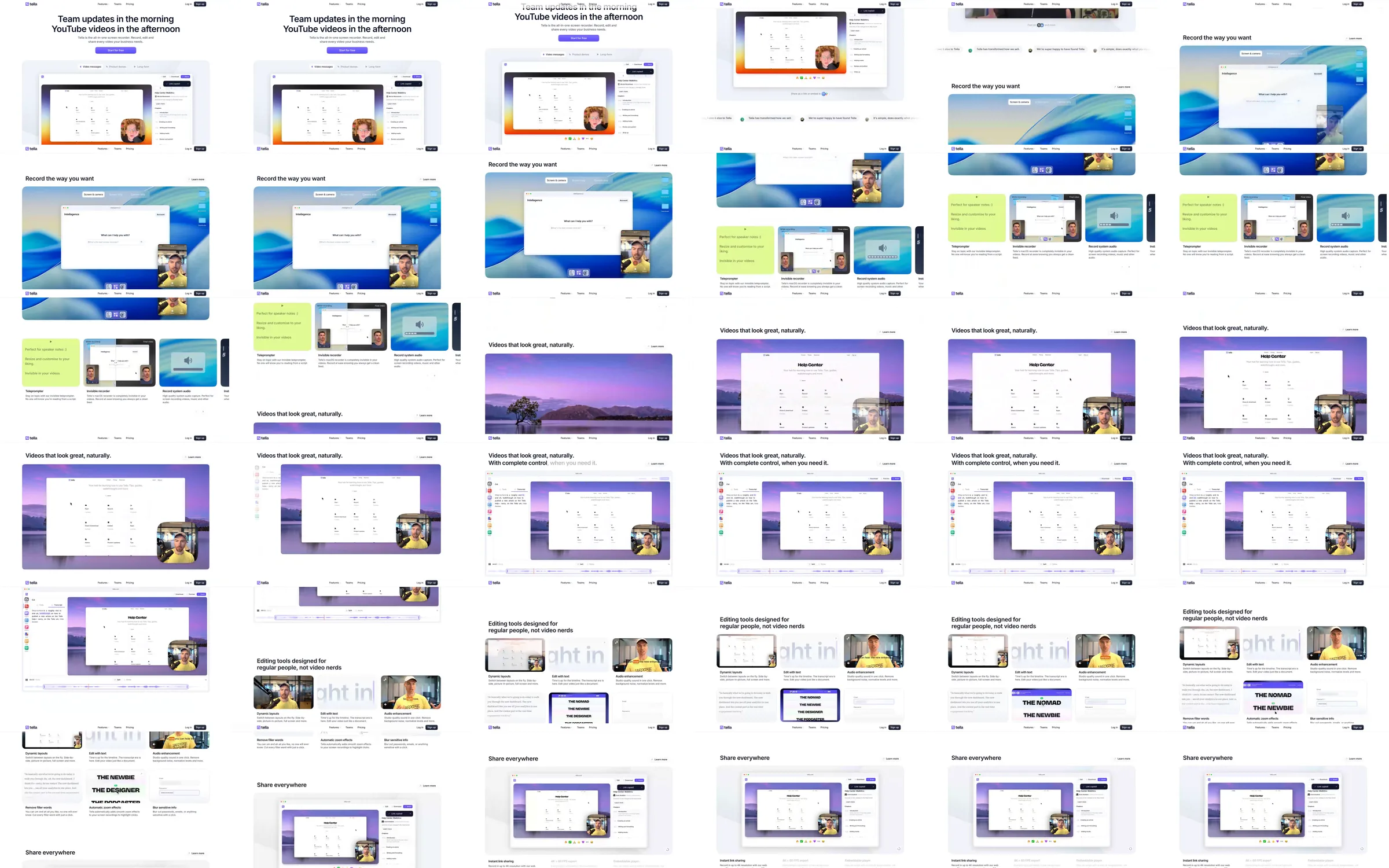
A quiet white introduction leads into a video editor on a colorful backdrop. Large desktop-recording examples, bright capability panels and a purple photographic editing section explain capture and presentation. Interface cards and sharing examples continue the recorded progression.
1. Screen-recording statement. 2. Video editor on colorful backdrop. 3. Desktop recording examples. 4. Bright capability panels. 5. Purple-backed editing demonstration. 6. Interface feature cards. 7. Sharing examples.
Showing the editor and recording interface at large scale makes the tool immediately recognizable. Colorful backdrops separate different tasks while retaining the same window framing.
Refero [style page](https://styles.refero.design/style/41547c7a-3bbe-49f0-95d6-9701c9df9a5e) and [recorded video](https://images.refero.design/styles/refero.design/video/98871876-cd6e-444f-99cf-1d4e58e5125e.mp4); [live site](https://tella.tv) checked on 2026-10-06. The recording is a point-in-time reference; current site content may differ. Descriptions distinguish the recording from the current page where they differ. Layout and motion notes come from sampled recording frames and automated live captures; interactive controls were not comprehensively tested. The original tella.tv address redirects to tella.com. The current page uses an updated all-in-one recorder introduction and a larger video-message demonstration. The recording does not cover a complete footer.